100% on-device · Open source

Your own AI.
On your phone.

TinyModels runs open language models entirely on your Android device. Chat, understand photos, and measure performance — without an account, a server, or your data leaving your pocket.

Available on PhonePe App Store APKPure GitHub Releases

  • Works offline
  • No account
  • MIT licensed
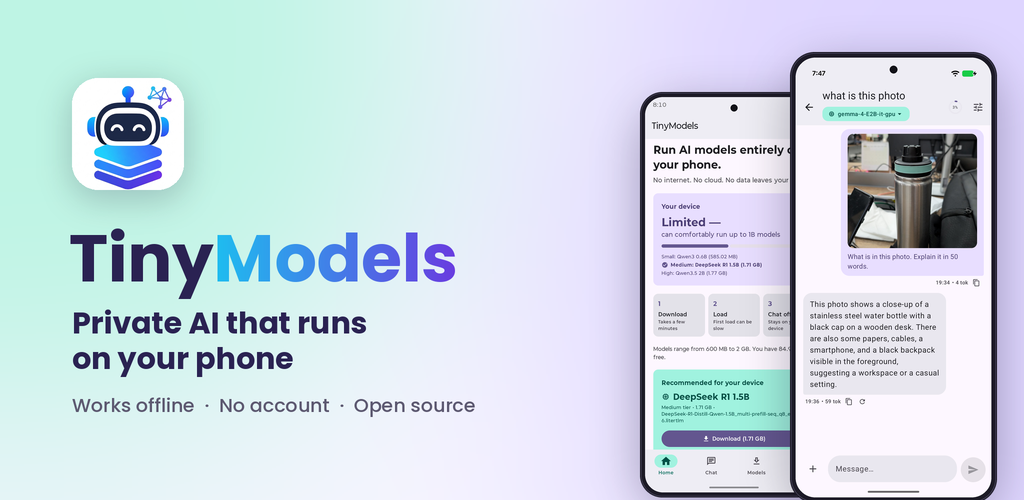
TinyModels feature graphic: private AI that runs on your phone, shown with the app icon and two app screens
100%on-device inference
0accounts or trackers
8screens to explore
5languages coming soon
Your pocket AI studio

Everything you need
to run AI locally.

From browsing models to measuring tokens per second, TinyModels keeps the entire workflow on your phone.

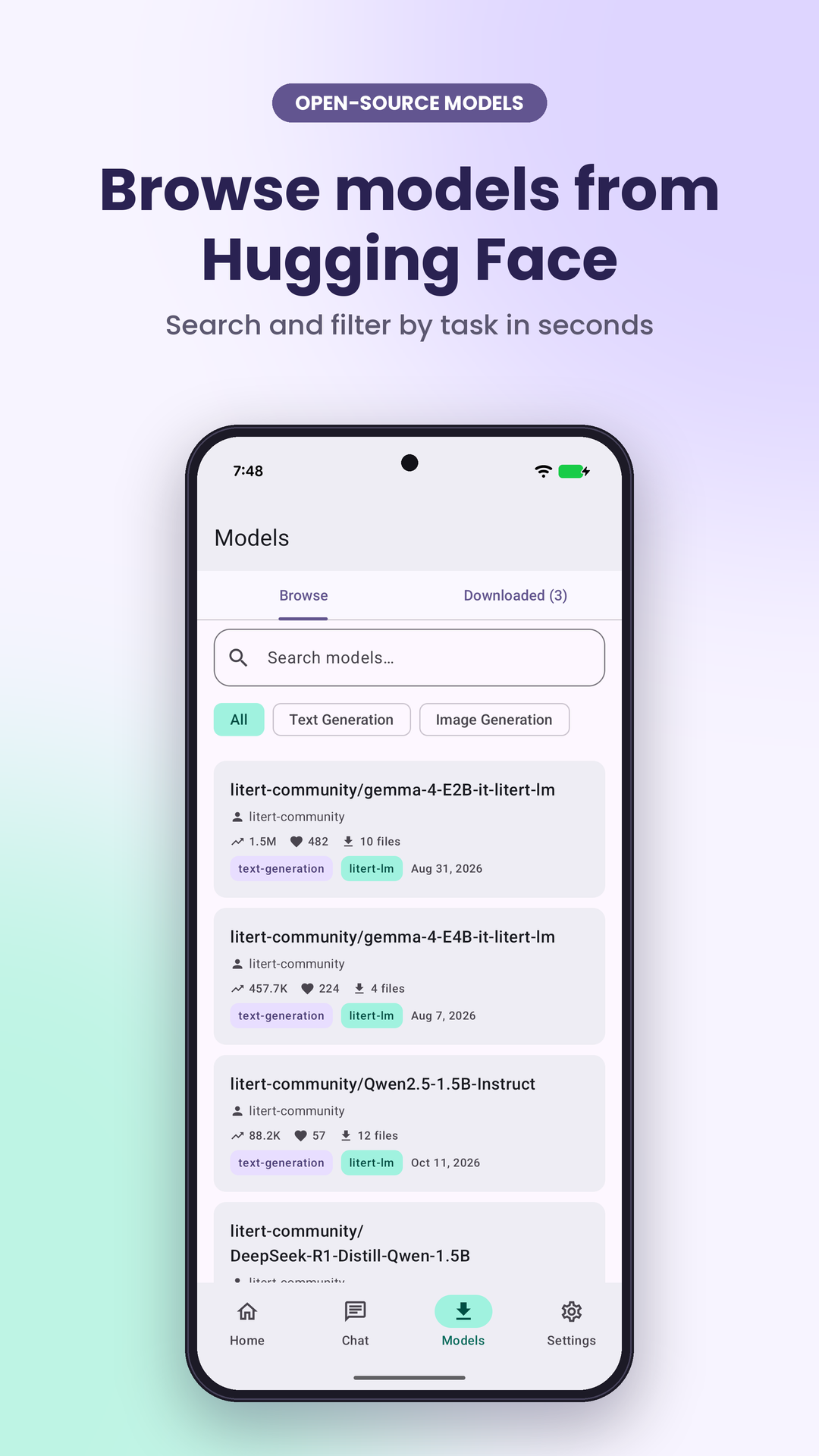
Find a model that fits

Browse the Hugging Face LiteRT-LM catalog, filter by what matters, and inspect every file before you download. TinyModels shows file size, quantization, context window, and device-fit guidance in one place.

Search & filters Per-file details Device-fit check
A chat that keeps up

Responses stream in token by token with live Markdown. Your draft survives screen changes, and you can stop or redirect generation whenever you want.

Streaming Markdown Draft-safe

Downloads that survive

Resumable downloads run through WorkManager, with progress notifications, cancel and retry, storage checks, and a Wi-Fi-only option.

Resumable Wi-Fi-only

Ask about a photo

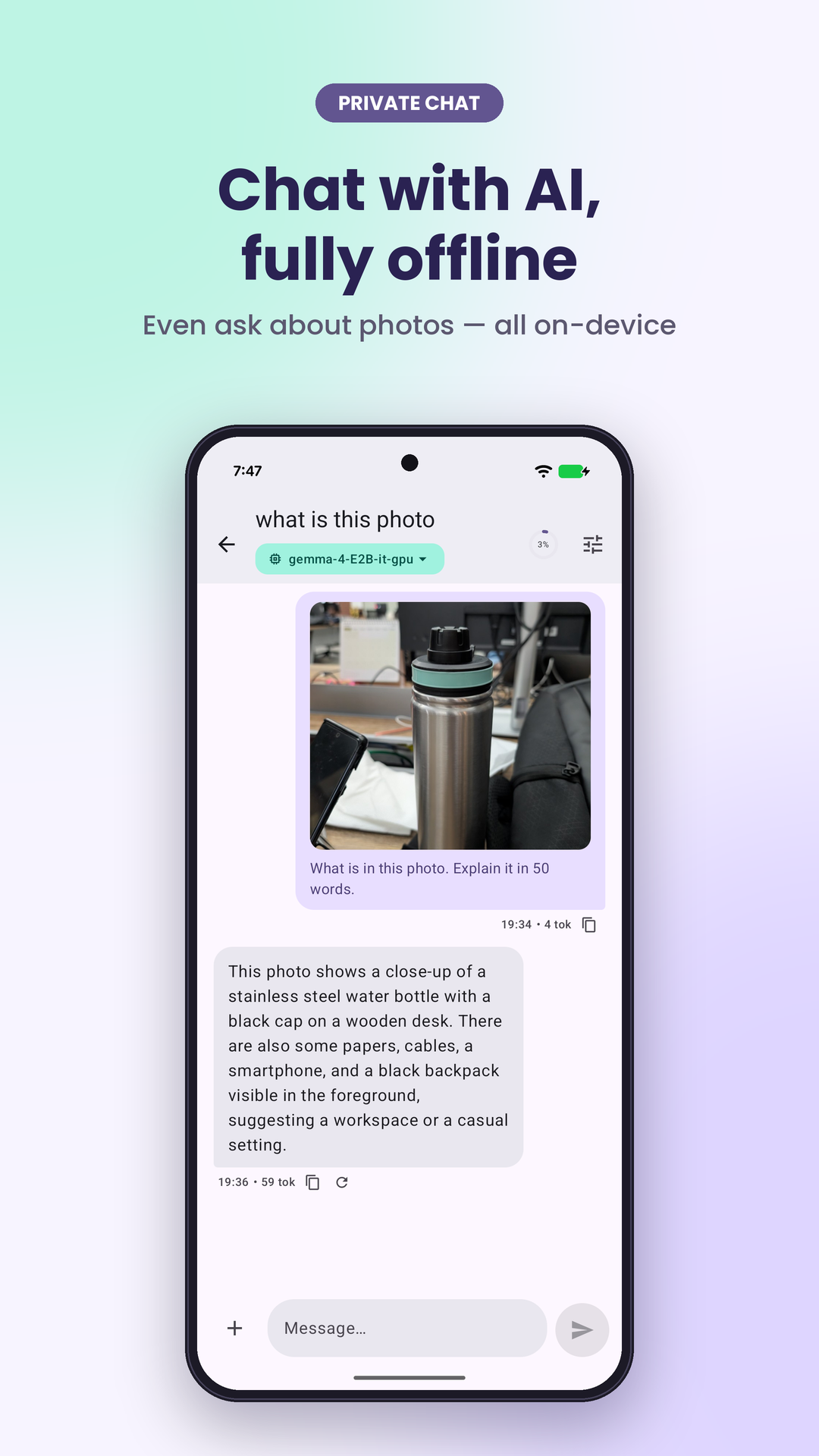
Attach an image on a vision-capable model and ask what is in it. The photo is processed on-device and never uploaded.

On-device Private

Long chats, under control

See exactly how much context is in use. TinyModels compacts automatically at 90% and gives you a manual Compact action when you need it.

Live usage Auto-compact

Know how fast it really is

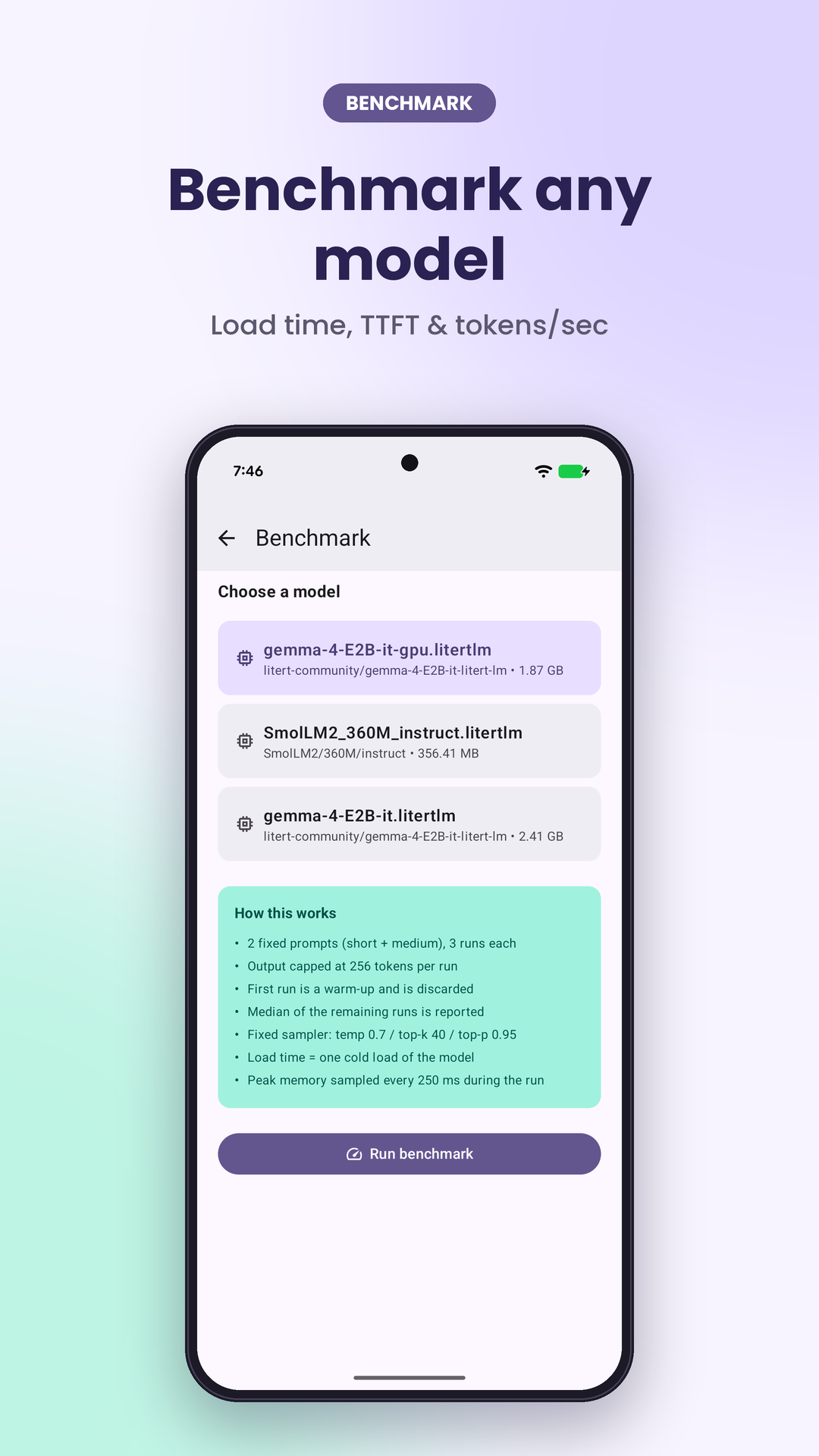
A built-in benchmark measures load time, time to first token, tokens per second, and peak memory on your device — with a repeatable methodology.

TTFT Tokens/sec Peak memory

Current answers, on your terms

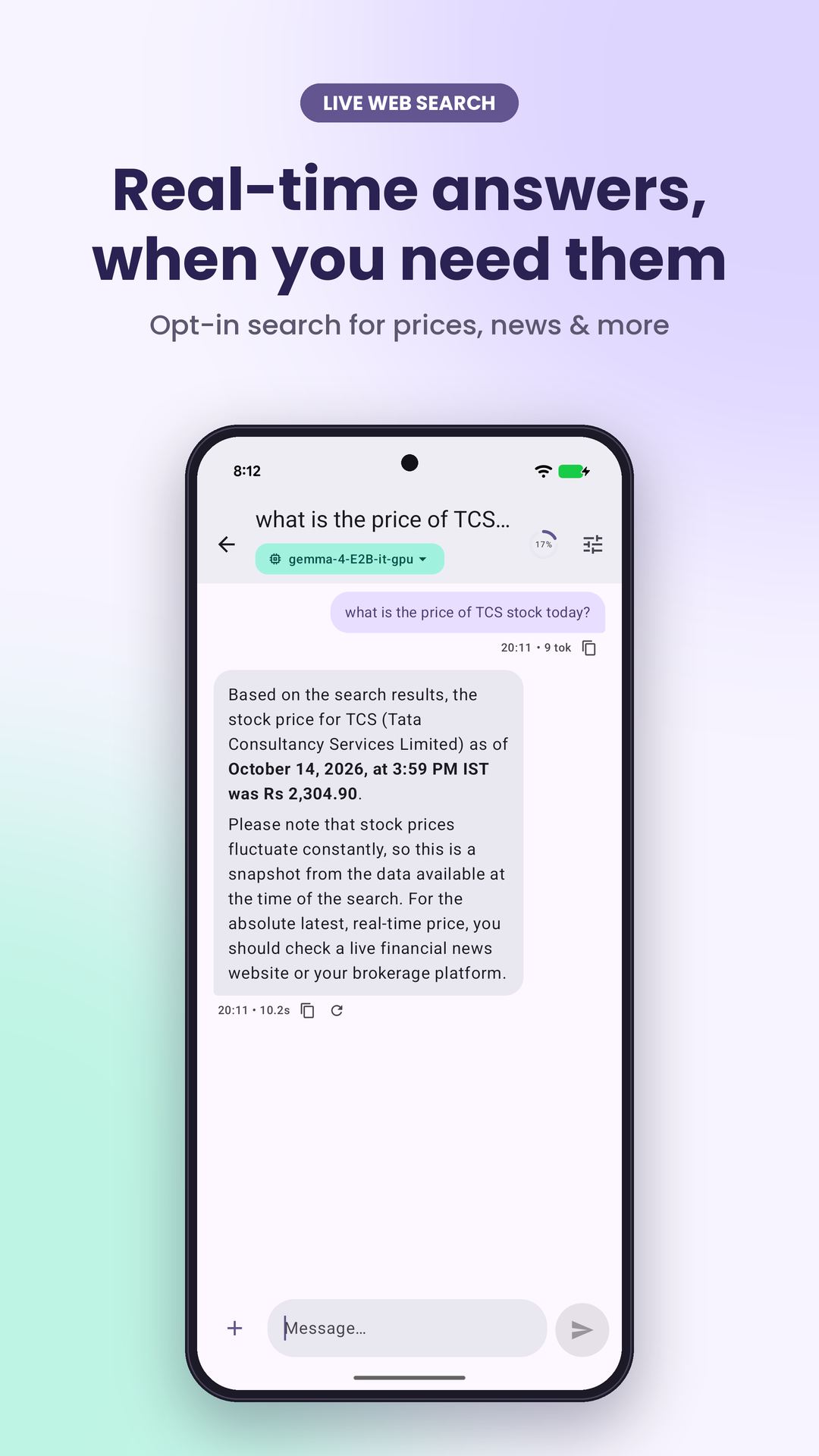
When a model needs fresher information, enable web search for that chat. It stays off by default, and you decide when a query leaves the device.

Opt-in Per chat
Chat room

Built for the way
you think.

Messages stream in token by token, Markdown renders as it arrives, and the composer remembers exactly what you were writing. Every conversation stays in a private on-device database.

  • Real-time Markdown with a smooth typewriter reveal
  • Draft text and attached photos survive rotation, resizing, and theme changes
  • Regenerate, edit, copy, or stop generation at any time
  • Per-chat sampler settings and persistent conversation history
  • Live context gauge with automatic compaction at 90%
StreamingToken-by-token replies
On-deviceNo server round-trip
PersistentHistory stays in Room
Draft-safeSurvives configuration changes
TinyModels chat answering a question about a photo of a water bottle
Draft saved
Benchmark

Numbers you
can trust.

A repeatable benchmark is built into the app. Compare models on your own phone, under the same conditions, instead of relying on someone else's server numbers.

Load timeOne cold model load
Time to first tokenResponsiveness you can feel
Tokens per secondSteady-state generation speed
Peak memorySampled every 250 ms
  • Two fixed prompts (short and medium), three runs each
  • Output capped at 256 tokens per run
  • First run is discarded as a warm-up
  • Median of the remaining runs is reported
  • Fixed sampler: temperature 0.7, top-k 40, top-p 0.95
TinyModels benchmark screen explaining the test methodology before running it
Measured locally
Catalog & downloads

From discovery to download,
without the guesswork.

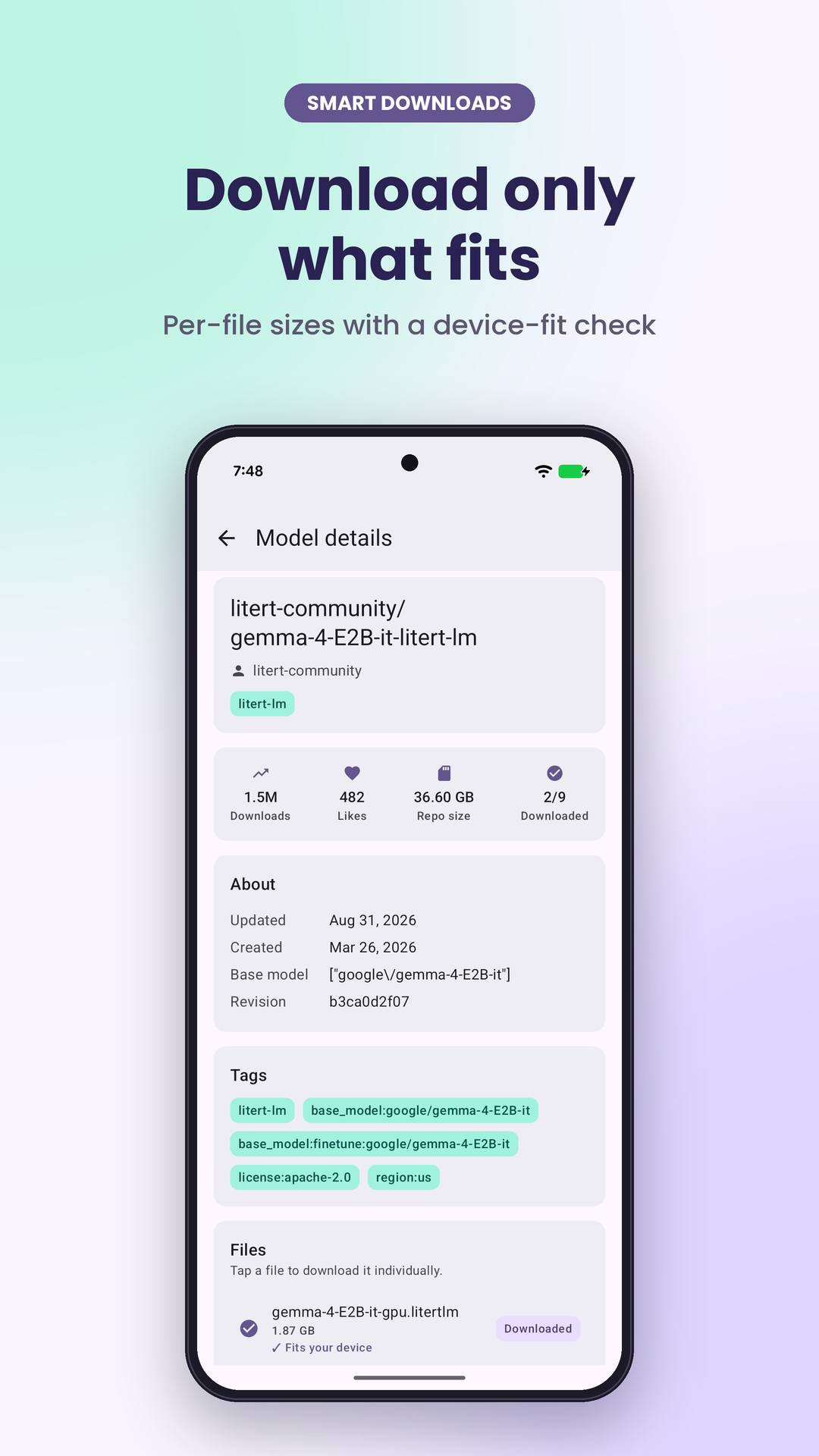
Search the catalog, understand exactly what you are getting, and download with confidence. TinyModels checks your device before a large file starts moving.

  • Search and filter Hugging Face LiteRT-LM models
  • Inspect file size, quantization, context window, and tags
  • Device-fit guidance before you commit to a download
  • Resumable downloads with notifications and Wi-Fi-only mode
  • Import and export .litertlm files through the system picker
TinyModels model catalog with search, filters, and model cards
TinyModels model detail page with metadata, tags, and individual files
More ways to ask

Photos on-device.
Web search on your terms.

Two optional capabilities, both designed around the same rule: your data stays yours unless you explicitly choose otherwise.

A vision-capable model describing a photo of a stainless steel water bottle

Your photos stay yours

Attach a photo to a vision-capable model and ask about it. The image is processed entirely on the device — no upload, no image server, no copy left in the cloud.

On-device vision Private by design
A chat using the optional web search tool to answer a question about a current stock price

Fresh answers, only when you ask

Enable web search for a specific chat when the model needs current information. It is off by default, and search queries leave the device only after you turn it on.

Opt-in Per-chat control
Device insights

Built for the phone
in your hand.

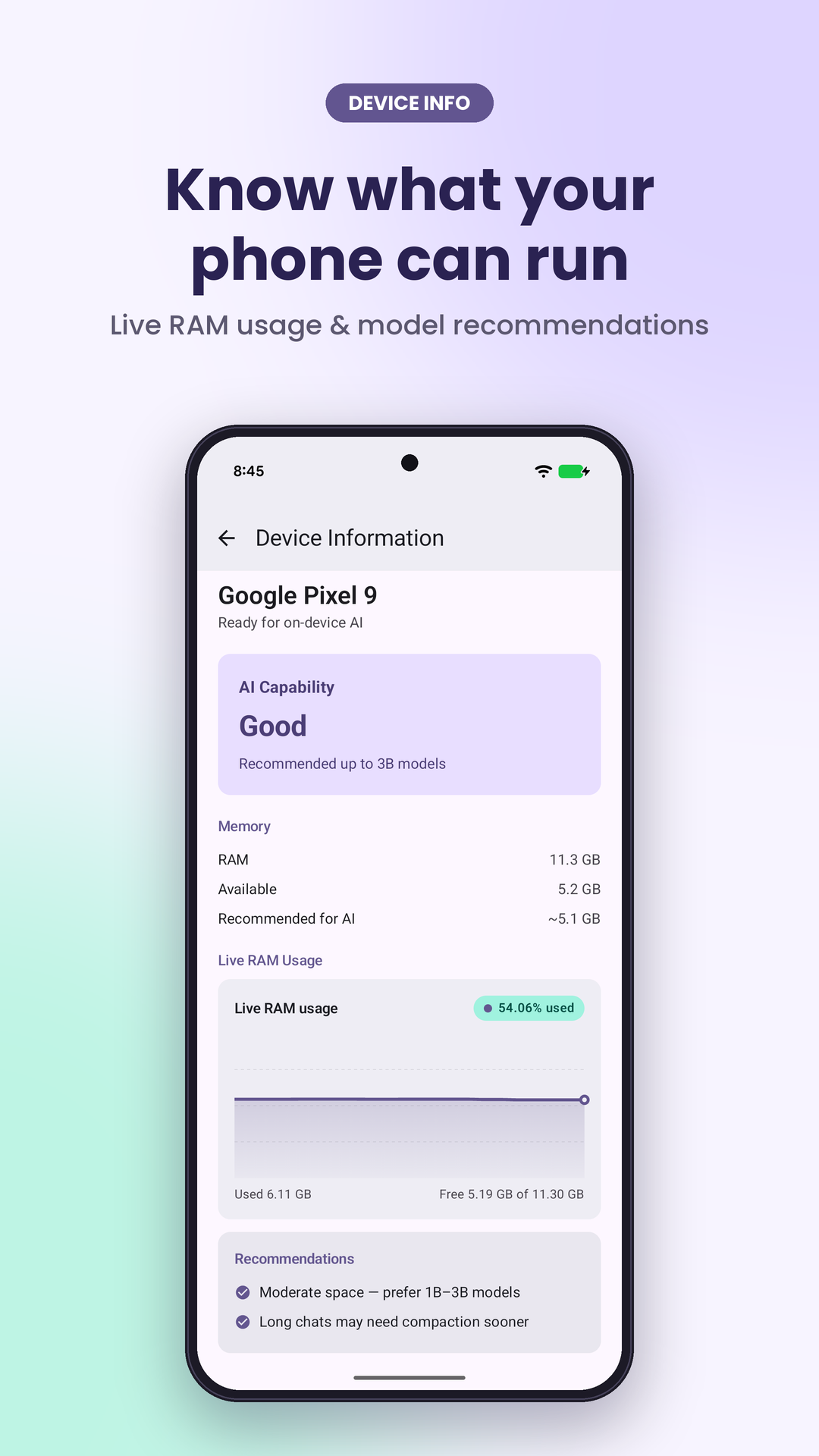
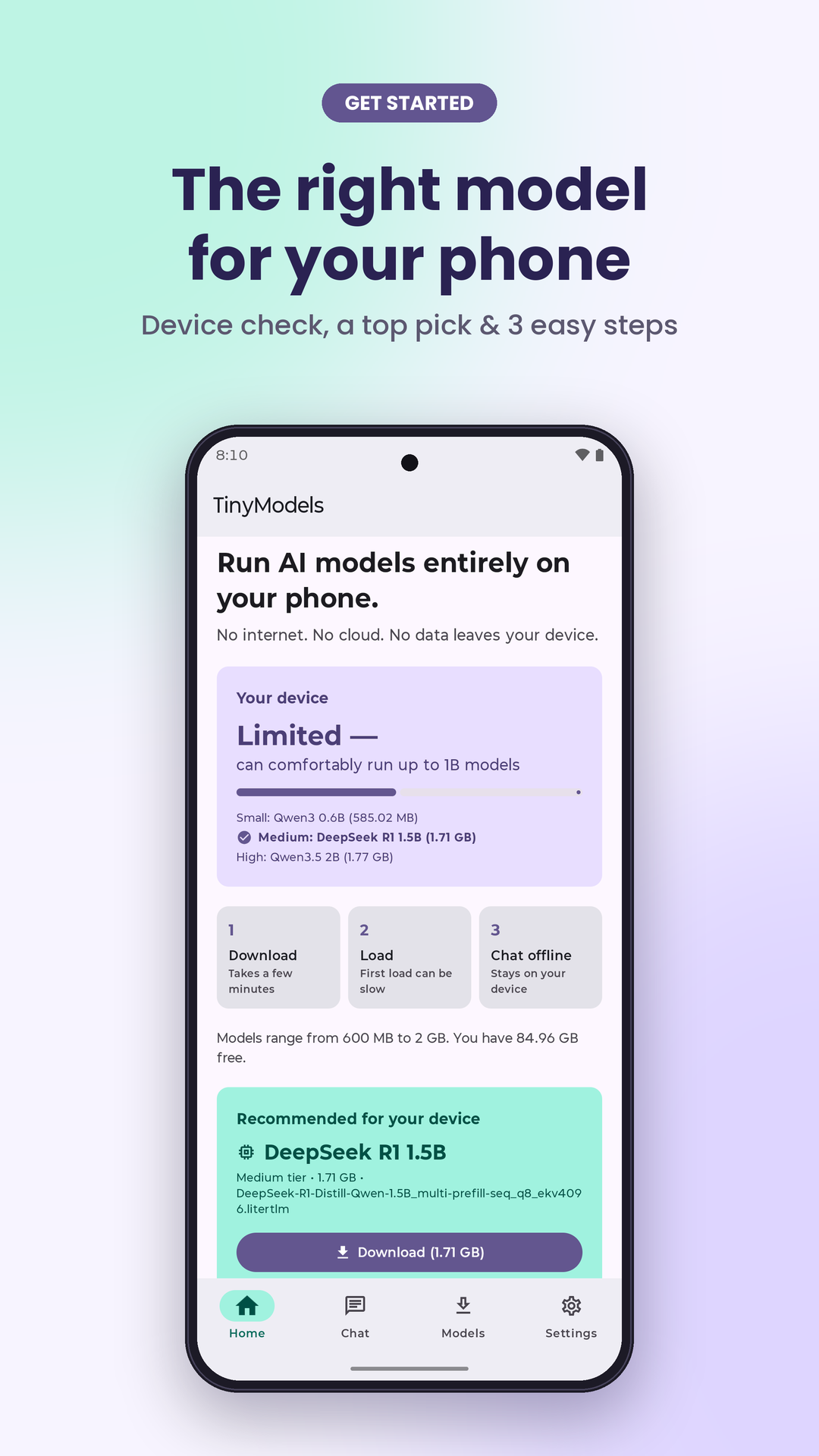
TinyModels reads your device's memory and capability, recommends models that fit, and keeps an eye on the resources that matter during inference.

  • AI capability rating and recommended maximum model size
  • Live RAM usage and available storage at a glance
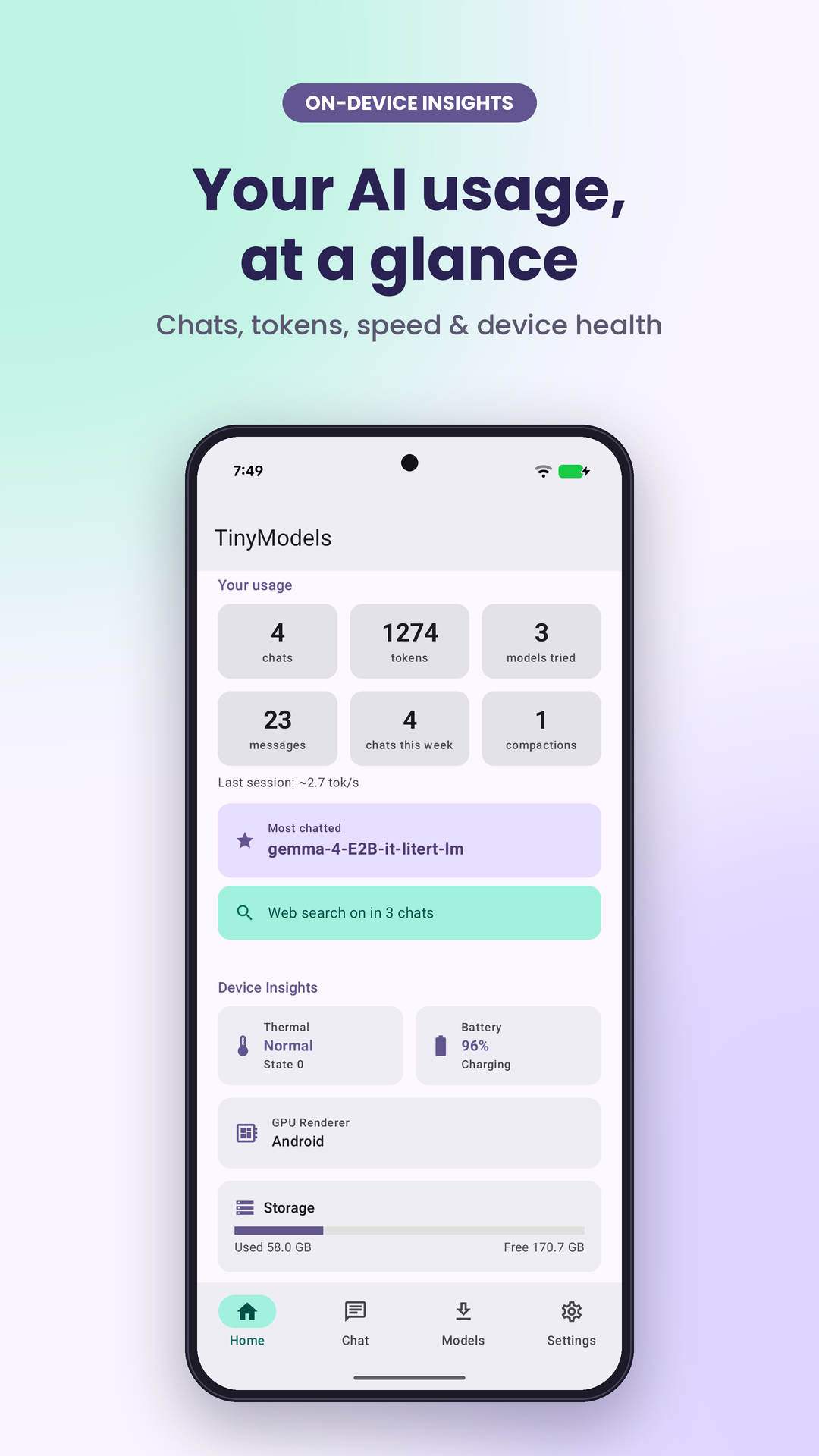
  • Usage stats: chats, messages, tokens, models tried, and compactions
  • Thermal and battery status while you run models
TinyModels home dashboard showing usage statistics and device insights
TinyModels device information screen with AI capability, RAM usage, and recommendations
Screenshots

Every screen, up close.

A look at the catalog, private chat, vision, live web search, benchmark, dashboard, and device insights. Tap any screen to enlarge it.

Roadmap

What is coming next.

Two substantial updates are in development. No dates yet — just the direction we are building toward.

In development

TinyModels in your language

The interface is being localised, starting with five of the most widely spoken languages in our community. The goal is a natural, full-app translation — not just a translated settings screen.

  • தமிழ்Tamil
  • हिन्दीHindi
  • EspañolSpanish
  • 日本語Japanese
  • FrançaisFrench

English is available today. The five languages above are planned for a future release.

In development

Bring your own GGUF models

A GGUF runtime will sit alongside LiteRT-LM, opening the door to more model families, sizes, and quantizations — with inference still running entirely on-device.

  • More model families and parameter sizes
  • Quantized .gguf files
  • The same offline, private-by-default experience
  • Managed alongside your LiteRT-LM library

Current release: LiteRT-LM .litertlm models. GGUF support and the new languages are not available yet.

Available now

Take your AI offline.

Download TinyModels free on Android. No account, no subscription, and no cloud. Install it, pick a model, and start your first on-device conversation.

  • Android 8.0+
  • arm64 device
  • 4 GB RAM minimum
  • Free & open source
FAQ

Good questions,
straight answers.

Everything you need to know before running a model on your phone. Still curious? The source code is open.

Ask on GitHub

Does TinyModels need an internet connection?

Only for downloading models and for optional web search. Once a model is on your phone, chat, vision, and benchmarks work fully offline — airplane mode is fine.

Which models can I run today?

TinyModels currently runs LiteRT-LM .litertlm models from the Hugging Face catalog. GGUF support is in development and is not available in the current release.

Is my data really private?

Chats, photos, settings, and model files stay in the app's private storage. There are no accounts, analytics, or advertising SDKs. Web search is opt-in and off by default, and model downloads contact Hugging Face only when you start them.

What phone do I need?

Android 8.0 or newer on an arm64 device with at least 4 GB of RAM. For 3B models, 8 GB or more is recommended. The app's device insights screen shows what your phone can comfortably run.

Is TinyModels free?

Yes. TinyModels is free to download and open source under the MIT License. You can inspect the code, build it yourself, or contribute on GitHub.

How do I report a bug or request a feature?

Open an issue on GitHub. For security vulnerabilities, please use the contact on the Security page instead of a public issue.